
Top Amazon Fire Kids Tablets
The 5 Amazon Fire Kids Tablets in our lineup, chosen independently, never paid for.


The most-reviewed kids' tablets on Proovad are, in this category, all from Amazon's Fire Kids range, which dominates the dedicated children's tablet space. These are tablets packaged for children, typically with a protective case, parental controls, and access to curated content, rather than general-purpose devices. The differences across the line come down to screen size, performance, and age focus. Because a kids' tablet is judged on durability, the strength of its parental controls, and age-appropriate content, those factors matter far more than raw specifications, and the right pick depends on the child's age and how the tablet will be used.
What to look for
Start with the child's age, since the tablets are tailored to it. Smaller, simpler models suit younger children with chunky cases and heavily curated content, while larger ones suit older kids who want more capability and a bit more independence. The age focus shapes both the content and the controls.
Prioritize parental controls, the most important feature on a kids' tablet. Good controls let you set screen-time limits, approve apps and content, and filter what a child can access, giving you oversight while the child uses the device. The depth and ease of these controls vary, so weigh them carefully.
Weigh durability and protection, because tablets take a beating from children. A sturdy, kid-proof case that survives drops, and a screen that tolerates rough handling, keep the device working far longer. Many kids' tablets include such a case and a warranty geared to accidental damage.
Finally, consider content, storage, and performance together. Access to age-appropriate apps, books, and video is central, and enough storage and a responsive processor keep the experience smooth. A tablet that is durable, well-controlled, and stocked with suitable content matters more than chasing top-end specs.
Frequently asked questions
What makes a kids' tablet different from a regular tablet?
Kids' tablets are packaged for children with a protective case, parental controls, and access to curated, age-appropriate content, rather than being general-purpose devices. Those features matter more than raw specifications for this audience.
How do I choose a kids' tablet by age?
Younger children suit smaller, simpler models with chunky cases and heavily curated content, while older kids suit larger tablets with more capability and independence. The age focus shapes both the available content and the parental controls.
Why are parental controls so important?
They are the core of a kids' tablet, letting you set screen-time limits, approve apps and content, and filter access. Strong, easy-to-use controls give you oversight while your child uses the device, so weigh their depth carefully.
Are kids' tablets durable enough for young children?
The better ones are built for it, often including a sturdy kid-proof case that survives drops and a warranty geared to accidental damage. Durability is a key trait, since children handle tablets roughly.
Key terms
- Parental controls
- Settings that let a parent limit screen time, approve apps and content, and filter what a child can access.
- Curated content
- A selected, age-appropriate library of apps, books, and video provided for children to use safely.
- Kid-proof case
- A sturdy protective casing that helps a tablet survive drops and rough handling by children.
- Screen-time limit
- A parental control that caps how long a child can use the tablet in a session or day.
Top picks
Our top three Amazon Fire Kids Tablets, and what sets each apart.

Amazon
Amazon Fire 7 Kids Tablet
Ranked #1 of 5 in our Amazon Fire Kids Tablets lineup.
See on Amazon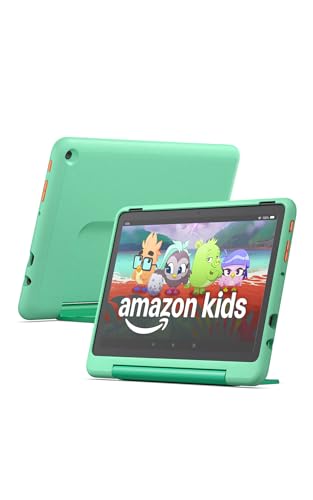
Amazon
Amazon Fire HD 10 Kids Pro Tablet
Ranked #2 of 5 in our Amazon Fire Kids Tablets lineup.
See on Amazon
Amazon
Amazon Fire HD 10 Kids Tablet
Ranked #3 of 5 in our Amazon Fire Kids Tablets lineup.
See on Amazon