
Top Laptops
The 13 Laptops in our lineup, chosen independently, never paid for.
Brand
Operating system
 Highly reviewed
Apple
Apple 2026 MacBook Neo 13-inch Laptop with A18 Pro chip: Built for AI and Apple Intelligence, Liquid Retina Display, 8GB Unified Memory, 256GB SSD Storage, 1080p FaceTime HD Camera; Citrus
 Highly reviewed
ASUS
ASUS Vivobook 17 Laptop - 17.3” FHD Display - Intel® Core™ 7 150U - 16GB RAM - 1TB SSD - Windows 11 Home - Cool Silver - F1704VAP-ES77
 Well reviewed
HP
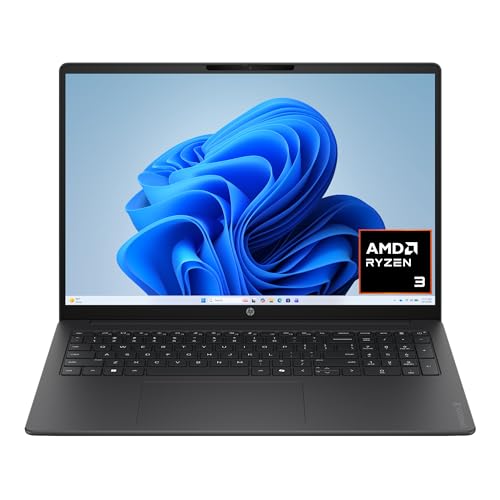
HP OmniBook 3 16 inch Laptop PC, 2K Touchscreen, AMD Ryzen 3 30, 8 GB RAM, 256 GB SSD, AMD Radeon 610M GPU, Windows 11 Home, Mica Silver, 16-by0199nr
Apple
Apple 2026 MacBook Neo 13-inch Laptop with A18 Pro chip: Built for AI and Apple Intelligence, Liquid Retina Display, 8GB Unified Memory, 256GB SSD Storage, 1080p FaceTime HD Camera; Silver
jumper
jumper 15.6" Laptop, 1-Year Office 365, 12GB RAM 256GB Expandable Storage
Apple
Apple 2026 MacBook Air 13-inch Laptop with M5 chip: Built for AI, 13.6-inch Liquid Retina Display, 16GB Unified Memory, 512GB SSD, 12MP Center Stage Camera, Touch ID, Wi-Fi 7; Sky Blue
- 13.6 in
- M5
- 16GB
Apple
Apple MacBook Air 13-inch (M5)
- 13.6 in
- Apple M5
- Up to 18 hours
Apple
Apple MacBook Pro 14-inch (M5)
- 14.2 in
- Apple M5
- 10-core GPU
HP
HP OmniBook 3 17.3 inch Laptop PC, FHD Display, AMD Ryzen 3 30, 8 GB RAM, 512 GB SSD, AMD Radeon 610M Graphics, Windows 11 Home, Mica Silver, 17-dp0199nr
Apple
Apple MacBook Air 15-inch (M5)
- 15.3 in
- Apple M5
- macOS
 Highly reviewed
Apple
Apple 2026 MacBook Neo 13-inch Laptop with A18 Pro chip: Built for AI and Apple Intelligence, Liquid Retina Display, 8GB Unified Memory, 256GB SSD Storage, 1080p FaceTime HD Camera; Indigo
Apple
Apple 2026 MacBook Neo 13-inch Laptop with A18 Pro chip: Built for AI and Apple Intelligence, Liquid Retina Display, 8GB Unified Memory, 256GB SSD Storage, 1080p FaceTime HD Camera; Blush
Popular comparisons
How our top Laptops stack up, head to head.
- Apple 2026 MacBook Neo 13-inch Laptop with A18 Pro chip: Built for AI and Apple Intelligence, Liquid Retina Display, 8GB Unified Memory, 256GB SSD Storage, 1080p FaceTime HD Camera; Citrus vs ASUS Vivobook 17 Laptop - 17.3” FHD Display - Intel® Core™ 7 150U - 16GB RAM - 1TB SSD - Windows 11 Home - Cool Silver - F1704VAP-ES77
- Apple 2026 MacBook Neo 13-inch Laptop with A18 Pro chip: Built for AI and Apple Intelligence, Liquid Retina Display, 8GB Unified Memory, 256GB SSD Storage, 1080p FaceTime HD Camera; Citrus vs HP OmniBook 3 16 inch Laptop PC, 2K Touchscreen, AMD Ryzen 3 30, 8 GB RAM, 256 GB SSD, AMD Radeon 610M GPU, Windows 11 Home, Mica Silver, 16-by0199nr
- Apple 2026 MacBook Neo 13-inch Laptop with A18 Pro chip: Built for AI and Apple Intelligence, Liquid Retina Display, 8GB Unified Memory, 256GB SSD Storage, 1080p FaceTime HD Camera; Citrus vs Apple 2026 MacBook Neo 13-inch Laptop with A18 Pro chip: Built for AI and Apple Intelligence, Liquid Retina Display, 8GB Unified Memory, 256GB SSD Storage, 1080p FaceTime HD Camera; Silver
- Apple 2026 MacBook Neo 13-inch Laptop with A18 Pro chip: Built for AI and Apple Intelligence, Liquid Retina Display, 8GB Unified Memory, 256GB SSD Storage, 1080p FaceTime HD Camera; Citrus vs jumper 15.6" Laptop, 1-Year Office 365, 12GB RAM 256GB Expandable Storage
The most-reviewed laptops on this page cluster tightly around a 15 to 16 inch screen footprint, with outliers stretching down to 13.6 inches and up to 17.3 inches. Apple dominates the brand breakdown, accounting for five of the thirteen products analyzed, followed by HP and Dell with two each. Processors split cleanly between Apple silicon (M5 chips appear on five units) and x86 options including AMD Ryzen 5 and Intel Core 3 or Core 7 processors. RAM lands most often at 16GB, with a few configurations at 8GB and one budget outlier at 4GB. Storage is similarly polarized: 512GB SSD is the single most common configuration, though options range from a lean 64GB on a Chromebook up to 1TB. Battery claims of up to 18 hours appear on multiple Apple units, while Windows machines tend to report more modest figures. Operating systems split across macOS, Windows 11, and one ChromeOS device. Cameras range from a 720p webcam on budget models to a 12MP Center Stage unit on higher-end MacBooks.
What to look for
The 16GB RAM threshold matters more now than it did two years ago, because local AI inference tasks and browser-heavy workflows both push past 8GB quickly. Buyers choosing between Apple M5 machines and Intel or AMD alternatives should weigh the integrated nature of Apple's unified memory against the upgradability (or at least replaceability) some Windows platforms allow. ChromeOS belongs in its own mental category: the 64GB storage figure that appears here is not a limitation on a platform built around cloud access, but it would be a real constraint on Windows. Battery claims deserve skepticism scaled to workload: 18-hour figures from Apple reflect light mixed use, and real-world numbers under video or compile workloads will be lower across every brand here.
Screen size and weight describe how the laptop actually travels with you. The 15 to 16 inch bodies most of these models use balance screen room against portability, while the 13.6 inch outliers favor a bag and the 17.3 inch machine is really a desktop replacement you move rarely. The single listed weight here, 3.64 lbs for a 15-inch class machine, is a useful yardstick: larger chassis run heavier and thicker than that.
What you cannot change later deserves the most thought up front. Apple's unified memory and most thin-and-light storage are soldered, so the RAM and SSD you buy are the RAM and SSD you keep, which makes the common 16GB and 512GB configurations a floor worth meeting rather than trimming. Some Windows platforms still allow a memory or drive upgrade, a genuine point in their favor if you expect your needs to grow.
Frequently asked questions
Is 16GB of RAM enough for the laptops in this category in 2025 and 2026?
For most buyers, yes: 16GB covers everyday productivity, moderate multitasking, and the AI-assisted features built into current macOS and Windows 11 releases, which is why it appears as the most common configuration among the most-reviewed models here.
What is the practical difference between Apple M5 unified memory and DDR4 or DDR5 RAM on Windows laptops?
Apple's unified memory sits on the same die as the CPU and GPU, which reduces latency and allows the system to allocate it fluidly across tasks, while DDR4 and DDR5 in Windows machines are discrete modules that serve the processor and a separate GPU, making direct gigabyte-to-gigabyte comparisons misleading.
Why does the one Chromebook in this category have only 64GB of storage when every other laptop ships with at least 256GB?
ChromeOS is designed to keep most files and applications in the cloud rather than on local storage, so 64GB is a functional baseline on that platform rather than a cost-cutting shortcut in the way it would be on a Windows or macOS machine.
Does the 17.3-inch screen size on the HP business laptop come with a portability tradeoff worth considering?
The only weight figure listed among these laptops is 3.64 lbs for a 15-inch class machine, and 17-inch laptops typically run heavier and thicker than that, so buyers who move between desks frequently should factor in that larger chassis even though an exact weight for this model is not listed.
Key terms
- Unified memory
- Memory shared on the same chip as the CPU and GPU on Apple silicon, allocated fluidly across tasks, which makes a raw gigabyte comparison with discrete RAM misleading.
- SSD
- Solid-state storage with no moving parts, faster and more durable than a hard drive; on many thin laptops it is soldered and cannot be upgraded later.
- Center Stage camera
- A wide-angle webcam that automatically keeps you framed and centered as you move, found on higher-end models in place of a basic 720p unit.
- ChromeOS
- A cloud-centered operating system where most files and apps live online, so a small local drive like 64GB is a normal baseline rather than a shortcoming.
Top picks
Our top three Laptops, and what sets each apart.
Apple
Apple 2026 MacBook Neo 13-inch Laptop with A18 Pro chip: Built for AI and Apple Intelligence, Liquid Retina Display, 8GB Unified Memory, 256GB SSD Storage, 1080p FaceTime HD Camera; Citrus
Ranked #1 of 13 in our Laptops lineup.
See on AmazonASUS
ASUS Vivobook 17 Laptop - 17.3” FHD Display - Intel® Core™ 7 150U - 16GB RAM - 1TB SSD - Windows 11 Home - Cool Silver - F1704VAP-ES77
Ranked #2 of 13 in our Laptops lineup.
See on AmazonHP
HP OmniBook 3 16 inch Laptop PC, 2K Touchscreen, AMD Ryzen 3 30, 8 GB RAM, 256 GB SSD, AMD Radeon 610M GPU, Windows 11 Home, Mica Silver, 16-by0199nr
Ranked #3 of 13 in our Laptops lineup.
See on Amazon