
Top Traditional Laptops
The 12 Traditional Laptops in our lineup, chosen independently, never paid for.
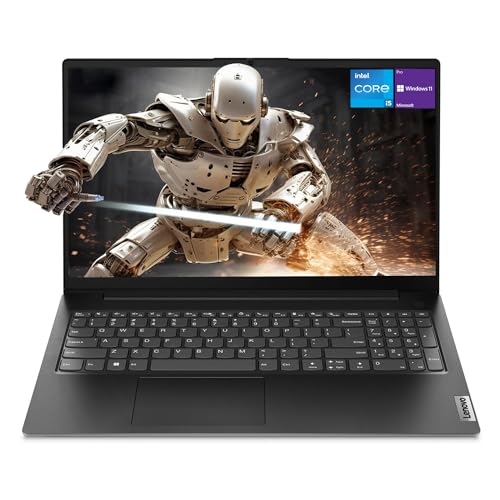 Highly reviewed
Lenovo
Lenovo V15 Gen 4 Business Laptop, 15.6" FHD Display, Intel Core i5-13420H (Beat i7-1355U), HDMI, RJ45, Webcam, Numeric Keypad, Wi-Fi, Windows 11 Pro, Black (16GB RAM | 512GB SSD)
 Well reviewed
Apple
Apple 2026 MacBook Neo 13-inch Laptop with A18 Pro chip: Built for AI and Apple Intelligence, Liquid Retina Display, 8GB Unified Memory, 512GB SSD Storage, 1080p FaceTime HD Camera, Touch ID; Indigo
 Well reviewed
HILLSUSU
2026 Flagship 15.6" Business Laptop Computer, 16GB RAM 512GB SSD, Core i5-7Y54(Up to 3.2GHz), Windows 11 Pro, Office 365, Fan Cooling, 2-Year Warranty, Portable Traditional Lap Top for Students & Work
HILLSUSU
2026 Laptop Computer, 15.6 Inch Windows 11 Pro Laptops with Office 365, 8GB RAM 256GB SSD, Traditional Portable Lap top with Core M3-6Y30 Processor and Built-in Cooling System for Business & Students
SAGAWHALE
SAGAWHALE 2026 Windows 11 Pro Traditional Laptop Computer, 16GB RAM 512GB SSD for Business Student School College, 15.6" FHD IPS Display, Lightweight Portable, 4H Battery, 3.5 lbs
SAGAWHALE
SAGAWHALE 2026 15.6" Traditional Laptop Computer, Core i7 7600U 3.9GHz, 16GB RAM 1TB SSD, FHD IPS Display, Windows 11 Pro, Type-C Charging, Backlit Keyboard, 3.5lbs
HP
HP 17 Inch FHD Laptop Computer for Business & Students 16GB RAM 512GB SSD
HP
HP Essential 15.6" Laptop, 2026 Edition, 8GB RAM, 256GB SSD, Win11
MALLRACE
MALLRACE Laptop,17.3-Inch FHD Display Laptop Computer with Quad Core-12th Alder Lake N95(Beats N5095,Up to 3.4GHz), 16GB RAM 256GB ROM Traditional Laptop Computer,6000Mah Battery,Silver
Lenovo
Lenovo 15.6" Business Laptop, 2026 Edition, 8GB DDR5 256GB SSD, Win 11
Apple
Apple MacBook Pro 14-inch (M5 Pro)
The most-reviewed traditional laptops on Proovad are led by the established PC makers, with Lenovo holding four spots and HP three, alongside Dell and others. Distinct from gaming machines and convertibles, these are conventional clamshell laptops for everyday computing: work, study, browsing, and media. The lineup spans budget machines for light tasks up to capable productivity laptops, with the meaningful differences coming down to the processor, memory, storage, and display rather than flashy features. Because a traditional laptop is judged on whether it handles your daily workload smoothly and lasts, matching the core specs to how you actually use it matters more than the badge.
What to look for
Start with your real workload, because it sets the specs you need. Light use, browsing, documents, and streaming, runs well on a modest processor and memory, while heavier multitasking, large spreadsheets, or photo work benefits from a stronger processor and more RAM. Buying far beyond your needs wastes money, and buying under them frustrates daily.
Prioritize memory and storage type, which shape everyday smoothness more than most buyers expect. Adequate RAM keeps many tabs and apps responsive, and a solid-state drive makes the whole machine feel fast to boot and load, a bigger real-world difference than a small bump in processor tier.
Weigh the display and build, since you look at and handle the laptop constantly. A sharp, comfortable screen matters for long sessions, and a sturdy build with a good keyboard and trackpad makes daily use pleasant. Resolution and panel quality vary widely even at similar prices.
Finally, consider portability and battery life against your routine. A lighter laptop with long battery life suits commuting and study away from a desk, while a larger screen and more ports suit a machine that mostly stays put. Match size and endurance to where the laptop will actually be used.
Frequently asked questions
What specs matter most in a traditional laptop?
The processor, memory, storage type, and display matter most. Match the processor and RAM to your workload, prioritize a solid-state drive for everyday speed, and choose a display comfortable for the time you spend looking at it.
How much RAM and storage do I need?
For light use, a modest amount of RAM suffices, while heavier multitasking benefits from more. A solid-state drive of adequate size makes the machine feel fast; prioritize an SSD over a larger but slower hard drive for everyday responsiveness.
Why does a solid-state drive matter so much?
An SSD makes a laptop boot, wake, and load apps far faster than a traditional hard drive, which is one of the biggest real-world differences in how fast a machine feels, often more noticeable than a small processor upgrade.
How do I balance portability and performance?
Match them to your routine. A lighter laptop with long battery life suits commuting and study on the go, while a larger screen and more ports suit a machine that stays on a desk. Decide where it will mostly be used.
Key terms
- Clamshell
- The traditional laptop form with a screen and keyboard that fold together, as opposed to a convertible or tablet design.
- Solid-state drive (SSD)
- Fast flash-based storage that greatly improves boot and load times over a traditional hard drive.
- RAM
- Working memory that determines how many apps and browser tabs a laptop can run smoothly at once.
- Integrated graphics
- Graphics built into the main processor, sufficient for everyday tasks but not demanding gaming or heavy 3D work.
Top picks
Our top three Traditional Laptops, and what sets each apart.
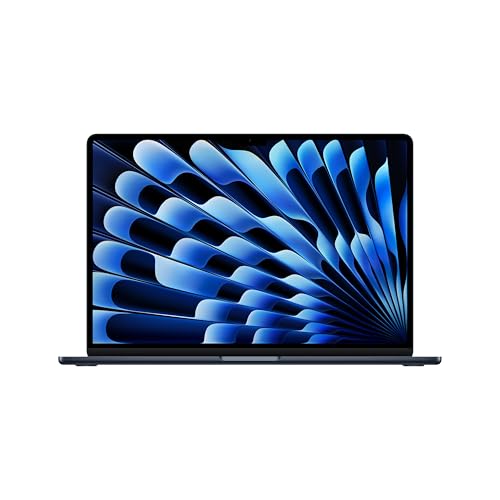
Apple
Apple MacBook Air 15-inch (M4)
Ranked #1 of 12 in our Traditional Laptops lineup.
See on AmazonLenovo
Lenovo V15 Gen 4 Business Laptop, 15.6" FHD Display, Intel Core i5-13420H (Beat i7-1355U), HDMI, RJ45, Webcam, Numeric Keypad, Wi-Fi, Windows 11 Pro, Black (16GB RAM | 512GB SSD)
Ranked #2 of 12 in our Traditional Laptops lineup.
See on AmazonApple
Apple 2026 MacBook Neo 13-inch Laptop with A18 Pro chip: Built for AI and Apple Intelligence, Liquid Retina Display, 8GB Unified Memory, 512GB SSD Storage, 1080p FaceTime HD Camera, Touch ID; Indigo
Ranked #3 of 12 in our Traditional Laptops lineup.
See on Amazon